
A user reported they could not see the ‘New’ button on the command bar to create new bulk record deletion job in Dynamics. Google tells me that the Bulk Delete privilege is required to enable this button. I had a look at the user’s security role and this privilege is already granted.
It turns out that another set of privileges is also required, which is read/write on the System Job entity. This makes sense as bulk record deletion is implemented as an async job in CRM.
So, in order to create bulk record deletion jobs, the following privileges would be required (use the search filter to find them in the new role editor interface, otherwise I have noted below where they can be found in the old interface):
- Bulk Delete (found in the Core Records tab, under the Miscellaneous Privileges section in the old interface)
- System Job entity (found in the Customization tab in the old interface), I’d would suggest User access level/privilege depth for the following:
- Create
- Read
- Write
- Append
- Append To
Enabling the bulk record deletion forms for security role
By default, only users with roles System Administrator or System Customizer are able to create bulk record deletion jobs. If you want to extend this capability to other roles, then there are two things you need to do:
- Grant the role with privileges as outlined above, and
- Enable the forms of the Bulk Delete Operation entity for the role.
Out of the box, the Bulk Delete Operation entity has 4 forms as shown below (yes, there are 2 ‘New bulk record‘ forms and I don’t know why).
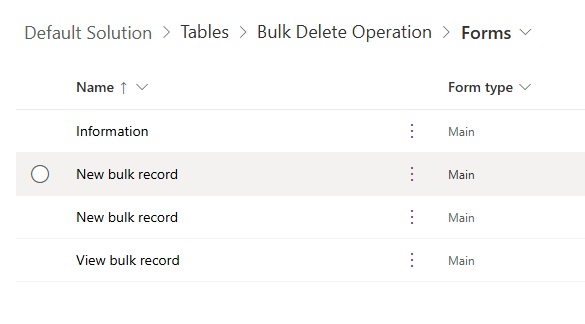
Only the ‘Information‘ form is available to everyone by default. The other 3 forms are enabled only for System Administrator and System Customizer roles. The ‘Information‘ form (shown below) however does not have the controls that allow you to define the criteria for selecting the records to be deleted.
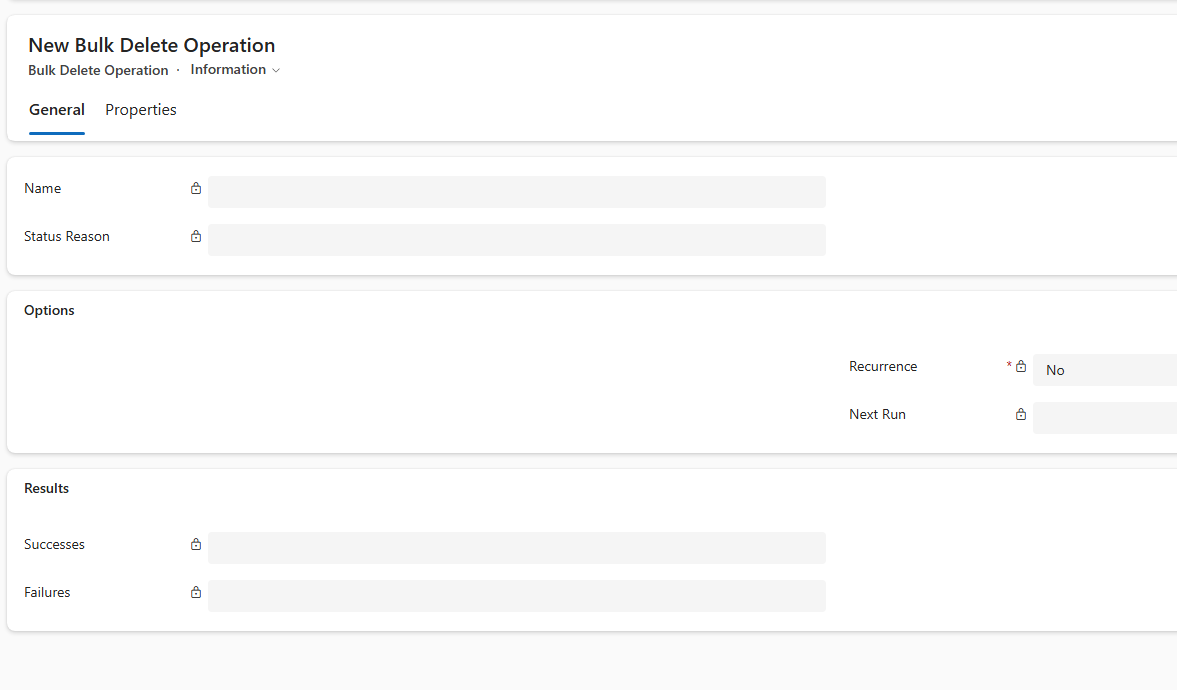
If you do not enable the other 3 forms for your target role, then users of that role would get the ‘Information‘ form by default, and effectively unable to properly define a bulk record deletion job.
So, to ensure that your target role can create bulk record deletion jobs, enable the 2 ‘New bulk record‘ forms and the ‘View bulk record‘ for that role.

 Bernado Nguyen-Hoan's Blog - Coding Stories from an IT Mercenary